Five things to love and hate about Panic’s text editor Coda
I’m an avid Coda user and it’s not for lack of exploring. So you can calibrate my opinions, I’ve given the following text editors at least a ride around the block.
Dreamweaver
TextMate
BBedit
komodo Edit (pro)
Espresso
Aptana Studio3
CSSedit
So with that being said…
love
1) One Window Development
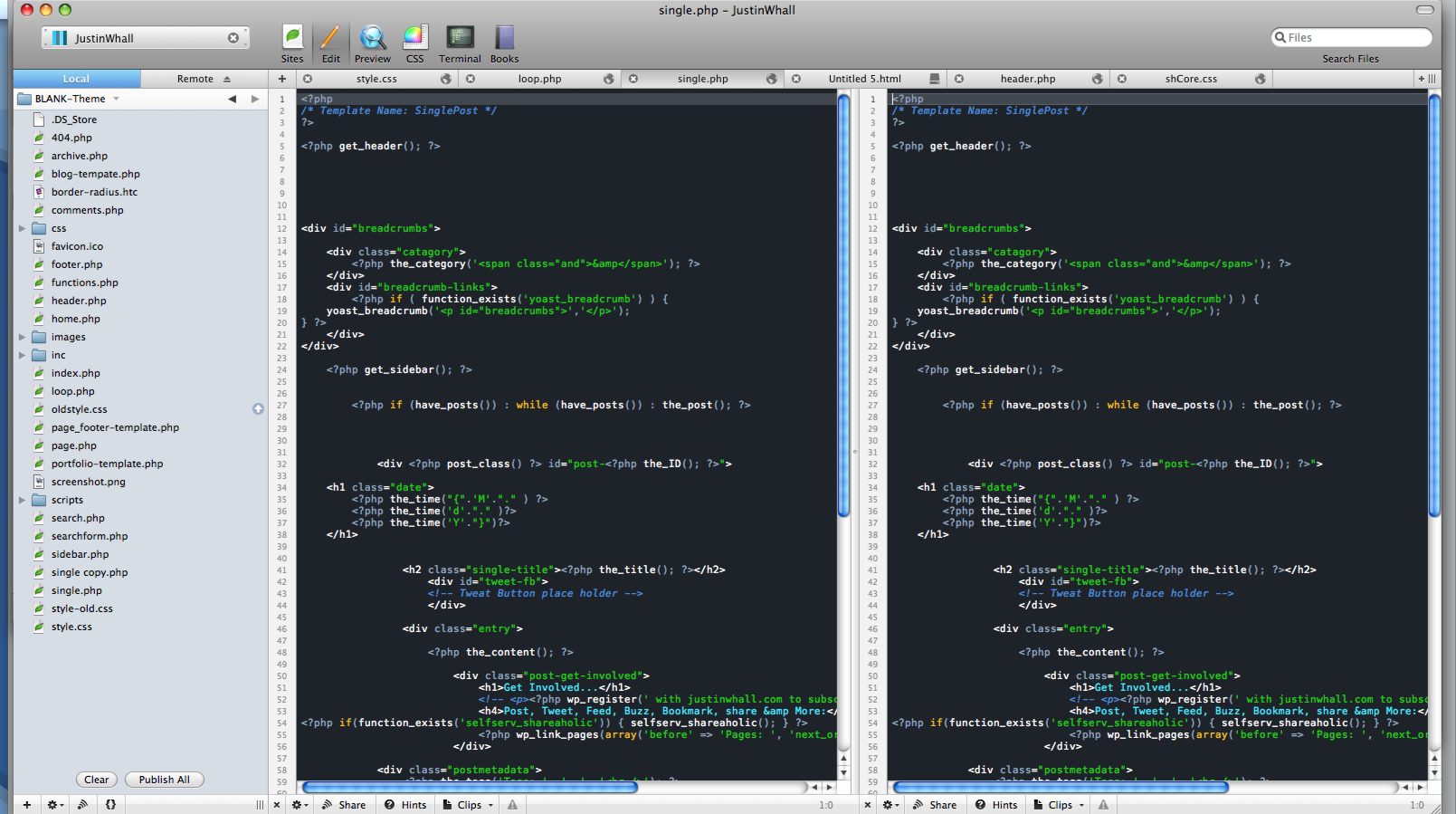
I am a complete type A personality when it comes to the organization of my Mac. Among the things I hate the most are loose files (anywhere), a cluttered desktop and possibly the worst of them all, layers and layers of application windows stacked on top of each other. I like to at least see a sliver of my desktop somewhere. It’s so easy to get going and leave a few photoshop documents up, your FTP client, a browser or dozen open and of course there is the distracting things like twitter apps and iTunes etc etc… At least Coda combines a very capable FTP client, terminal, preview and element inspector. I dont’ care for Dreamweaver and the many WYSIWYG panels that take up valuable screen space. Coda is clean and simple. Some sort of split screen feature is an absolute must for me now.
2) Sites
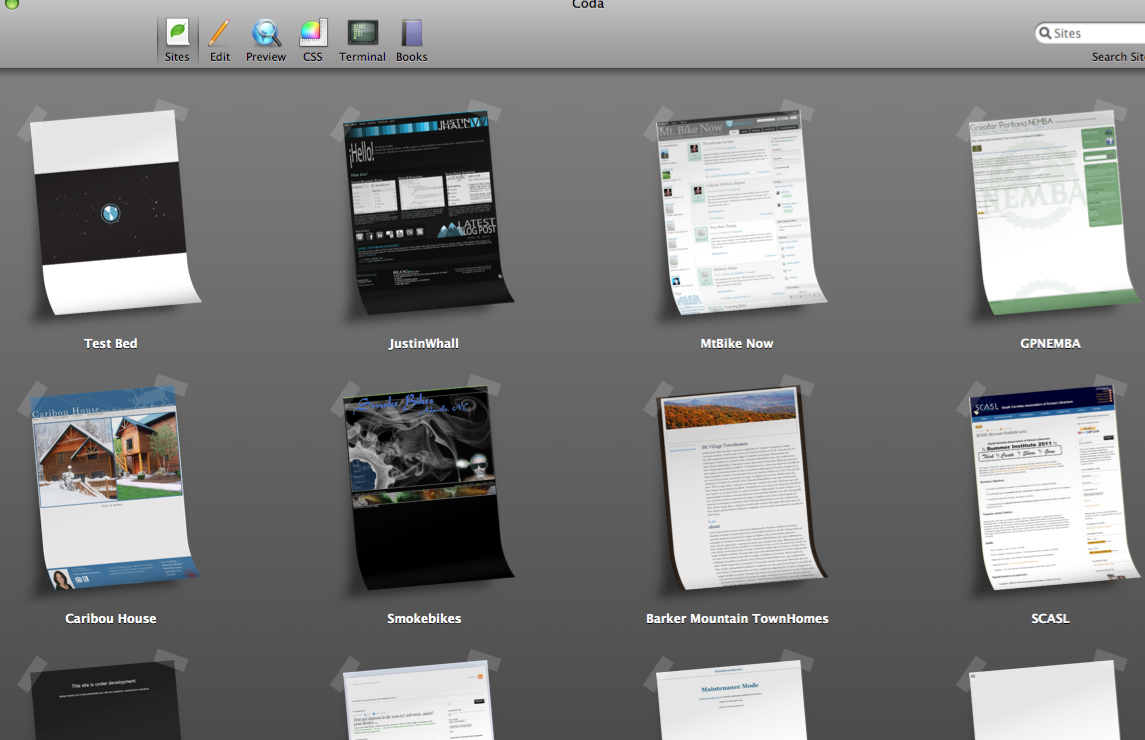
Not only is the sites tab all pretty looking, it saves all your FTP/local information and keeps an updated thumbnail of your site. If you have to shut down coda or switch projects, when you return it’s as if you never left.
3) Themes
You can change your editor colors very easily. This not only easily distinguish what exactly is going on in your varying syntax but it helps keep things festive too. Take a look at Justin Hilimen’s themes for great examples. I love customization. Being able to customize the color of each syntax (with the added options to bold or italic) is very helpful when scrolling through lines and lines of code.
4)Split Panes
Can’t live without this feature now. Most common set up for me during development is : (from left to right) Main monitor = File browser>CSS>whatever file I might be working on. Second monitor = A Coda preview window and 4-5 other browsers neatly stacked up :). I find this setup creates a situation where most everything is right in font of me and very little window swapping is needed unless I need firebug, photoshop/illustrator or another browser.
5)FTP
Along the lines of one window development but more specifically, the publish feature (or reverse publish). Being able to work locally on a specific file and then shoot that to the server when I’m done is awesome. And of course, Coda remembers the FTP credentials so I’m not bothered by a username and password prompt.
Hate
1)Code folding?
Um, no. No real need for elaboration here. It doesn’t exist and it really needs to. I can live with other nuances of Coda, except for this one.
2) Code Hinting & Completion
It exists, but it’s marginal at best. Works pretty well for all things HTML or CSS I find, but I find it’s quite lacking when it comes to all things javascript and PHP. I’m sure the same can likely be said for other languages. I just don’t work with them enough to know.
3)One window development
Yup, I also hate it. For one very specific reason – it doesn’t really play nice with a double monitor set up. This is one area that all things adobe really excel. The whole panel approach is perfect. Drag all your panels over to one monitor, expand them, tile them and everything is at your fingertips leaving the other monitor wide open for code, graphics or whatever it is you are working on.
With Coda, I use two separate windows. Problem is, the second window isn’t actually part of my site as far as coda is concerned so I can’t really click on the file on the main monitor and have it open on the second. Likewise, I can’t drag and drop it into a pane to open it either. Basically, files need to be open from the file browser within the window you’d like it opened in. Yes, I could have two file browsers open, but that’s redundant and not exactly the workflow I’d like to be working towards. I suppose you could stretch the window across both monitors assuming they are of identical resolution (mine are not), but I’d imagine that would just be weird.
4)CSS color picker
Ever write CSS in Dreamweaver? Hex value colors in particular? As soon as you type “background: #” a little WYSIWYG widget pops up which allows you to select a color. After years and years of working in graphic related fields, I’ve stored a great deal of colors in my brain in HEX format, but sometimes I need something a little more specific or obscure. I’m aware of Coda’s WYSIWYG CSS editor, but I find it faster to just hop ever to photoshop then to switch to the CODA CSS WYSIWYG editor, sort through all the selectors, find the one I need and change it.
5)Updates
Don’t expect a whole slew of them. Not a whole lot of transparency when it comes to future updates, dates or anything like that. I subscribe the to the unoffical coda email list and you can almost set your watch to the new threads that are somehow related to “When is Coda 2 going to be available?” In a somewhat recent related thread, a Panic employee jumped in and said the following:
(It’s been a while since I’ve popped in here to apologize for how slow this stuff goes. So, here I am. :))
I liked Coda a lot, I would sooner not use a Java application, but
really 3 year’s without an update !?!
Well, technically, our last update was on November 5th, 2010. But I know your point.
We’re working on a major update go, these take an incredible amount of work and effort for us. We’re not just going to slap features on top of Coda 1. That’s something a lot of major software developers would do. We see Coda 2 is an opportunity to step back, look at the program as a whole, and make foundational improvements to the app. Put simply, this is a huge project.
Also, keep in mind that the last few years we were working on Transmit 4. This is the challenge of a small company — there’s only so much (in our case, ‘one’) we can do at one time. Sorry about that.
For the record, it took us nearly 5 years to go from Transmit 3 to Transmit 4. And ironically, while we were working on Coda, everyone was angrily wondering where Transmit 4 was. (“Why are you wasting your time on Coda!?!”) So it goes. 🙂
I also resent the absolute lack of communication from Panic – it is an
insult to once loyal customers.
What can we say? We can’t post predicted schedules because we’re guaranteed to be wrong and people will go absolutely crazy. We can’t talk about features because we’re in active development and competitive edge is important. Well, that doesn’t leave a lot to say.
As I said in our “State of the Union” post, once we hit beta, we’ll let everyone know. Until then, there’s virtually nothing we can talk about. My legitimately sincere apologies.
Their news feed suggests that rather
than writing software they more interested in cooking dinners than
writing software.
No. We post about dinners because we can actually talk about them. We can’t so much about still-under-development software. As funny as it is to imagine that we’re somehow choosing to eat instead of code (maybe we should eat while we code?), you know, if we didn’t eat we’d die. 😉
I know waiting sucks, but it doesn’t suck half as much as being on this side of the coin…
Trust me: I wish Coda 2 was out approximately 500 times more than you do. 🙂
Best,
Cabel
So, take that s you will. They are clearly a small company and I can’t say I’m all that surprised with the way things are although a few more tidbits like the above e-mail would really go a long way in my opinion. At least let us know that you haven’t jumped ship on a product line like so many other companies have in this economical climate and left us using a terminal piece of software, or worse yet, training employees to use it.
In the end, Coda is still my favorite and my daily driver when it comes to a text editor. There was a point where I became a little impatient with it’s short comings and started shopping around. I can say for sure, Java based editors are way to clunky and slow. I don’t know why, but it just seems to work out that way. If anything, it’ll be Espresso that will tear me away from Coda. That is, if Panic takes an unreasonable amount of time to release Coda 2.